Boolean Search for Recruiters: A 2026 Guide (With Examples)
Key Takeaways (TL;DR)
- Boolean search is the simplest way to turn a search bar into a precise sourcing tool. Learn five operators and you can find candidates most recruiters miss, on LinkedIn, Google, or your own database.
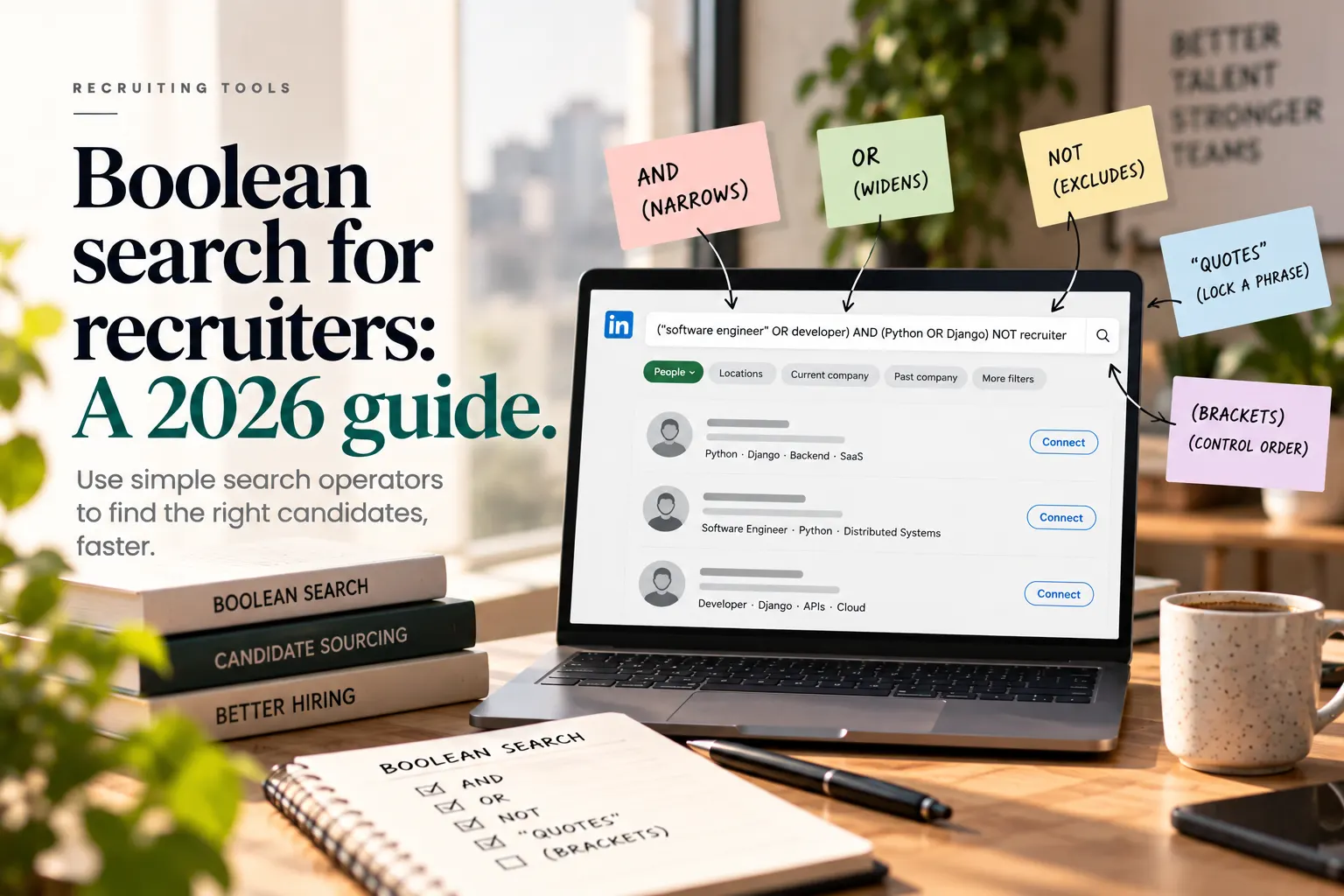
- The core operators are AND (narrows), OR (widens), NOT (excludes), quotation marks (lock a phrase), and brackets (control the order).
- X-ray search uses Google to find profiles across a site, which is useful when a platform's own search is limited.
- Write operators in uppercase, especially on LinkedIn, or they stop working.
- Boolean finds people, but it does not tell you who can do the job. You still have to screen the results on real skills.
What Boolean search is, and why recruiters use it
Boolean search is a way of combining keywords with a few logical operators so a search engine returns exactly the results you want, instead of a vague, bloated list. The name comes from Boolean logic, but you do not need the theory. You just need five tools: AND, OR, NOT, quotation marks, and brackets. With them, a recruiter can turn "a lot of roughly relevant profiles" into "the specific people who match this role," which saves hours and surfaces candidates a loose keyword search would bury.
It works in LinkedIn's search bar, in Google, in most applicant tracking systems, and in job-board databases. The skill transfers everywhere, which is why it has stayed a core recruiter skill for years, even as sourcing tools have grown more automated. Here is how each operator works, with examples you can adapt today.
The five core operators
AND narrows your search
AND returns only results that contain every term. Use it to stack requirements.
developer AND Pythonreturns profiles mentioning both developer and Python.
OR widens your search
OR returns results containing any of the terms. Use it for synonyms and interchangeable titles, since people describe the same role in different ways.
developer OR programmer OR engineercatches all three job titles.
NOT excludes terms
NOT removes results containing a term. Use it to filter out the wrong field, the wrong seniority, or your own current employees.
developer NOT Javareturns developers who do not mention Java.
Quotation marks lock a phrase
Quotes hold several words together as a single idea, so the engine treats them as one phrase rather than loose, separate words.
"head of talent"searches for that exact title, not every page with "head," "of," and "talent" scattered around.
Brackets control the order
Brackets group terms so the engine reads your logic the way you intended, rather than left to right.
developer AND (Python OR Java)returns developers who mention either Python or Java.
Putting them together: example strings
Once you combine the operators, you can build precise searches. A few you can adapt:
("software engineer" OR developer) AND (Python OR Django) NOT recruiter("head of marketing" OR "marketing director") AND (SaaS OR "B2B") NOT agency("account executive" OR "sales representative") AND SaaS NOT intern("data analyst" OR "data scientist") AND SQL AND (Tableau OR "Power BI")
Start broad with ORs for the titles and skills, then tighten with ANDs and NOTs until the result list is the right size. If you get too few results, loosen a requirement. If you get too many, add a specific skill or exclude a common false match.
X-ray search: using Google to find profiles
Sometimes a platform's own search is limited, or you want to search it without being logged in. X-ray search uses Google to look inside a specific site. The trick is the site: operator.
site:linkedin.com/in ("product manager" AND fintech)finds LinkedIn profiles for product managers in fintech, via Google.
You can point site: at LinkedIn, GitHub, a community forum, or anywhere candidates have public profiles. Combine it with the five core operators, and you have a powerful way to reach people who are not active on job boards.
A note on LinkedIn specifics
LinkedIn supports AND, OR, NOT, quotes, and brackets in its main search bar, but there are quirks worth knowing. Write the operators in uppercase, because lowercase "and" or "or" is read as a normal word and your logic silently breaks. LinkedIn also ignores wildcard symbols, so do not rely on them. And the free account limits how much searching you can do, so your carefully built string matters even more when each search counts. Our guide to sourcing passive candidates goes deeper on reaching people who are not applying.
A simple Boolean workflow
If you are new to this, a simple routine makes Boolean searching fast and repeatable. First, write down the two or three must-have skills or titles for the role. Second, list the synonyms for each, since people describe the same job differently, and join them with OR inside brackets. Third, connect those groups with AND so every requirement must appear. Fourth, add a NOT or two to strip out the obvious wrong matches, like interns or recruiters. Finally, run it and adjust: too few results means loosen a requirement, too many means add a specific skill or exclusion. Save the strings that work for each role type, so next time you start from a proven search rather than a blank bar.
Common mistakes with Boolean search
Lowercase operators. On LinkedIn especially, "and" or "or" in lowercase is treated as a keyword, not logic. Always use uppercase.
Starting too narrow. Stacking every requirement at once returns almost nothing. Start broad, then tighten step by step.
Forgetting synonyms. People use different titles for the same job. Miss the ORs and you miss half the candidates.
No quotes on phrases. Without quotes, "head of talent" scatters into three common words and floods you with noise.
Treating a match as a qualified candidate. A keyword match means someone mentioned a term, not that they can do the job. Screen the results.
Where Boolean search ends and screening begins
Boolean search is excellent at one thing: finding people whose profiles mention the right words. But a profile is not proof. Someone can list Python, SaaS, and "senior" without being able to do the work you need, and plenty of strong candidates describe their experience in words your string never anticipated. So Boolean is the start of sourcing, not the end. Once you have a list, you still have to screen it on real, demonstrated skills, which is the step that actually predicts who can do the job. This is also where modern AI sourcing complements Boolean: it can search on meaning rather than exact keywords, widening the net, and then rank candidates on evidence rather than vocabulary. For the bigger picture on why demonstrated skill beats keyword matching, see skills-based hiring versus resume screening.
How Navero fits with Boolean sourcing
Boolean search helps you build a list of candidates to consider. Navero helps you turn that list into a shortlist you can trust. It sources qualified candidates and screens them on verified skills with realistic, job-relevant tasks, so you are judging people on what they can actually do, not on which keywords they happened to put in their profile.
Navero filters out roughly 60% of unqualified applications and cuts time-to-hire by up to 75% (based on customer data), shows the reasoning behind every score, and keeps a human making the final decision, which supports alignment with the EU AI Act, NYC Local Law 144, and EEOC guidance. Used together, Boolean casts a wide, precise net, and skills-based screening makes sure the people you spend time on can do the work. For more on finding people who are not actively applying, see our guide to sourcing passive candidates.
Found your candidates with Boolean? See how Navero's skills-based screening turns that list into a shortlist built on real ability.
The bottom line
Boolean search is one of the highest-return skills a recruiter can learn, and it takes an afternoon to get good at. Master five operators, AND to narrow, OR to widen, NOT to exclude, quotes to lock a phrase, and brackets to control the order, and you can build precise searches on LinkedIn, Google X-ray, or your own database that surface candidates most recruiters miss. Start broad, tighten step by step, write your operators in uppercase, and always use ORs for synonyms. Then remember the limit: a keyword match is not a qualified candidate. Boolean finds people, but screening on real skills is what tells you who can actually do the job. Pair the two, and you have a sourcing engine that is both wide and trustworthy.
Frequently Asked Questions
What is Boolean search in recruitment? It is a way of combining keywords with logical operators, mainly AND, OR, NOT, quotation marks, and brackets, so a search engine returns precisely the candidate profiles you want instead of a vague, bloated list. It works in LinkedIn, Google, applicant tracking systems, and job-board databases, which makes it a transferable core sourcing skill for recruiters.
What are the main Boolean operators? Five do almost all the work. AND narrows a search to results containing every term, OR widens it to any of the terms, and NOT excludes a term. Quotation marks lock several words into a single exact phrase, and brackets group terms so the engine reads your logic in the right order. Combining them lets you build very precise searches.
What is an X-ray search? An X-ray search uses Google's site: operator to find profiles inside a specific website, such as site:linkedin.com/in followed by your keywords. It is useful when a platform's own search is limited or you want to search it without logging in, and it lets you reach candidates with public profiles across LinkedIn, GitHub, and other sites.
Why does my LinkedIn Boolean search not work? The most common reason is lowercase operators. LinkedIn only reads AND, OR, and NOT as logic when they are in uppercase, so a lowercase "and" is treated as an ordinary keyword and your string quietly breaks. LinkedIn also ignores wildcard symbols, so avoid relying on them, and remember free accounts limit how many searches you can run.
Is Boolean search still useful with AI sourcing tools? Yes, and they work best together. Boolean gives you precise, transparent control over a search, which is still valuable. AI sourcing adds the ability to search on meaning rather than exact keywords, catching strong candidates who describe themselves differently, and to rank results on evidence. The real limit of Boolean is that a keyword match is not proof of ability, so you still screen on skills.