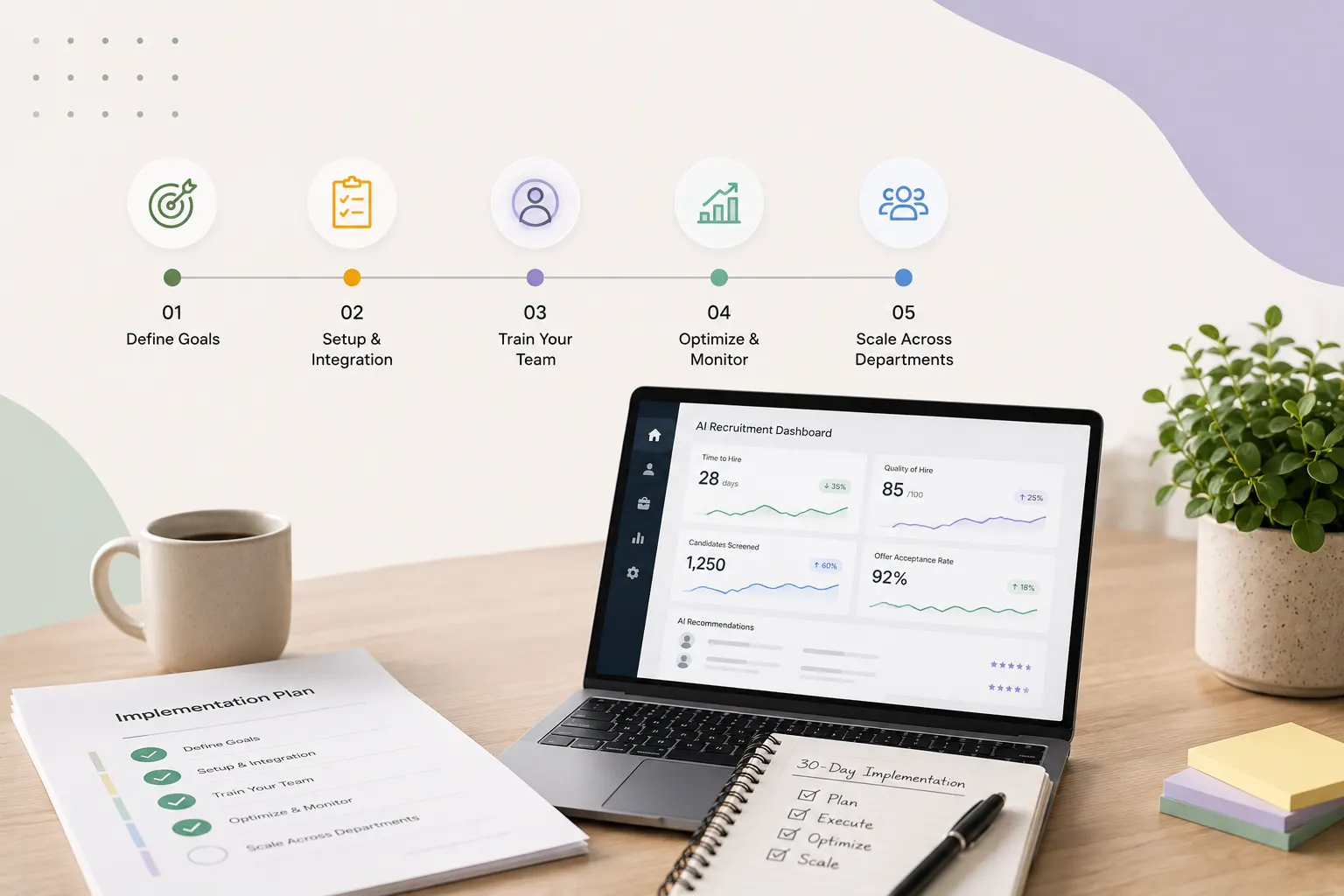
How to Implement AI Recruitment Software in 30 Days: A Step-by-Step Playbook
Key Takeaways (TL;DR)
- Start with clear baselines: Document current time-to-hire, screening volume, and quality metrics six weeks before implementation. Without these benchmarks, measuring real ROI becomes guesswork.
- Prioritize integration quality over speed: Poor field mapping creates messy data. Test every workflow with dummy records and verify accuracy before a single live candidate enters the system.
- Launch with focused pilots: Start with one high-volume role for 2–4 weeks. Gather clean data first, then calibrate AI matching to keep false positives under 15%.
- Train teams on AI augmentation: 69% of users confirm AI reduces response time when configured correctly. Adoption depends on teams understanding that AI supports recruiters — it does not replace them.
- Scale based on retention signals: Track quality-of-hire and retention rates before expanding. Companies with strong retention programs achieve 53% higher productivity. That is the validation signal worth waiting for.
AI recruitment software adoption has accelerated sharply. Deployment of AI agents jumped to 42% of large organizations, up from just 11% two quarters earlier. 82% of HR leaders plan to adopt agentic AI within 12 months.
The numbers tell one story. The reality tells another.
62% of organizations are experimenting with AI agents. Only 23% are actively scaling them. The gap between pilot and production is wide, and it has nothing to do with the software. It has everything to do with how implementation is handled.
Choosing the right AI recruitment software matters. How you implement it determines whether it delivers results or collects dust. Setup, integration, and optimization are where most teams lose momentum.
This playbook gives HR teams a complete 30-day implementation framework. Each phase — from goal definition and platform selection to configuration, team training, and department-wide scaling — builds directly toward measurable outcomes.
What You Need Before Starting (Days 1-5)
Preparation determines whether implementation succeeds or stalls. The first five days establish the foundation for everything that follows.
Define Your Recruiting Goals and Pain Points
Most implementations fail before they start. Not because the software is wrong, but because the problem was never clearly defined.
Recruiters face manual screening overload, outdated candidate profiles, false positives without required skills, and insufficient talent pools. Candidates wait for updates, assume disinterest, and move to other opportunities. Time that should be spent engaging qualified candidates disappears into administrative work.
Identifying bottlenecks before vendor conversations prevents buying tools that solve the vendor's problem rather than yours. Document current time-to-hire, screening volume, and quality issues that slow hiring. Specific challenges create measurable goals. Measurable goals determine whether AI recruitment software is actually working.
Choose the Best AI Recruitment Software for Your Needs
Software selection starts with mapping recruitment challenges to platform capabilities. High-volume hiring requires automation and scalability. Diversity-focused hiring needs built-in bias detection. Platforms must adapt to existing workflows, not force process changes that slow teams down.
Evaluate AI-based recruitment software against these criteria:
Compliance and data protection: GDPR compliance, consent management, data encryption, secure storage, and audit trails are non-negotiable for protecting candidate information
AI quality and transparency: Systems should explain recommendations, provide adjustable settings, and learn from hiring outcomes over time
Integration capabilities: Smooth connections with HRMS, payroll, and collaboration tools prevent data gaps and handoff problems
Parsing and matching accuracy: Test resume parsing across formats and industries to verify categorization quality
Support and training: 24/7 support, dedicated account managers, detailed documentation, and ongoing training ensure teams use full platform capabilities
Request demos and run real scenarios before committing. Testing workflows validates usability and reveals adoption potential that feature lists never show.
Get Stakeholder Buy-In and Assign Roles
Map stakeholders by influence and impact. Identify decision-makers with budget authority, hiring managers who will use the system daily, and IT teams managing integration. Conduct interviews to understand their concerns before the rollout begins.
Each stakeholder group has different priorities. Finance needs ROI projections. Hiring managers want quality improvements. IT requires integration clarity. Address each group on its own terms. Strong buy-in unlocks budget, resources, and support that removes roadblocks throughout implementation.
Assign roles early. Platform administrators, recruiter trainers, and technical contacts for vendor coordination should be confirmed before Day 6.
Set Up Your Baseline Metrics
Establish baselines six weeks before implementation. This is not optional. Without a clear before picture, there is no way to measure what the AI actually changed.
Capture metrics across all impacted areas. Track time-to-shortlist, consultant utilization, cost-per-placement, and quality-of-hire data. AI performance improves as it processes more data and users gain proficiency. Teams that document starting conditions are the ones that can demonstrate results later.
Document current recruitment efficiency, cost-effectiveness, and talent outcomes before any changes occur. The data you collect now becomes your proof of impact at Day 30.
Week 1-2: Initial Setup and Integration (Days 6-14)
Planning ends. Execution begins. The next nine days connect systems, migrate data, and establish the workflows that determine recruitment speed and accuracy going forward.
Configure your AI recruitment software with existing systems
Field mapping is where integrations succeed or fail. Define exactly how AI outputs appear inside the ATS — mapping fields like candidate fit scores and prescreening summaries to specific custom fields. Then set workflow triggers that specify precisely when AI activates. An example: "When candidate moves to Stage 1, activate AI screening".
Poor field mapping causes messy ATS data after integration. It creates confusion, duplicate effort, and unreliable candidate records.
Organizations using four or more HR systems experience 2.1x higher data error rates than those using one or two platforms. Test every integration using dummy candidate records first. Run each key workflow end-to-end and verify data lands correctly in every mapped field. Monitor sync errors and latency throughout the first 30 days.
Integration quality over integration speed. Always.
Import and clean your candidate database
A clean database produces reliable AI outputs. A dirty one produces noise.
Before migration, remove records older than three years, exclude profiles missing contact details, and eliminate candidates outside your recruitment scope. Standardize data formats and resolve missing values before anything goes live. Duplicate records fragment talent pools and generate conflicting AI scores. Fix this before it becomes a pipeline problem.
Set up job templates and screening criteria
Work with hiring managers to identify three to five criteria that genuinely separate strong candidates from weak ones. Each criterion should translate into a specific, answerable screening question. Define what a strong answer looks like, what an acceptable one looks like, and what a weak one looks like.
Vague rubrics produce vague scores and unreliable shortlists. Precision here directly determines the quality of every shortlist the system generates.
Train your recruiting team on the platform
Training is not optional. It is the difference between a tool that gets used and one that gets ignored.
Cover how the AI makes decisions, how to interpret AI-generated insights correctly, and the ethical considerations that come with automated screening. Teams that understand what the AI is doing — and why — use it more effectively and catch errors faster.
Run your first pilot with one role
Choose one high-volume role and run a two-to-four-week pilot before expanding to anything else. The first week focuses purely on observation. No adjustments, no interventions.
Clean, uninterrupted data from this initial period shows exactly what is happening in the pipeline. It surfaces gaps in criteria, inconsistencies in scoring, and workflow issues that would otherwise remain hidden until they become costly.
Week 3-4: Optimization and Scaling (Days 15-30)
Data is flowing. Now the real work begins.
Week three marks the shift from observation to active optimization. The system has baseline data. The team understands the workflow. This phase is about refinement, expansion, and making the AI work harder.
Calibrate AI matching based on feedback
Every recruiter decision teaches the system something. Accepting or rejecting AI-suggested candidates creates learning signals that sharpen future recommendations.
The standard to hold the platform against: false positive rates below 15% and false negative rates under 10%. If those numbers drift, recalibrate. Quarterly weight adjustments and monthly model health checks keep the system aligned with your actual hiring standards. Roles evolve. Candidate signals shift. The model needs to keep pace.
Activate automated candidate outreach
Single-channel outreach underperforms. Email sequences, LinkedIn messaging, and SMS working together reach candidates on their preferred platforms and produce significantly higher response rates.
The efficiency gains are real. Recruiters using generative AI reclaim approximately 20% of their workweek. Personalized messages outperform bulk sends by 15 percentage points. Organizations report 30-50% faster time-to-hire once AI candidate matching is fully operational.
Outreach quality matters as much as outreach volume.
Expand to multiple roles and departments
Expansion comes after validation, not before. Start with high-volume positions in one department. Confirm the data is clean and the match quality holds before adding more roles.
The case for disciplined expansion is strong. AI-driven hiring strategies produce 30% higher employee satisfaction and 25% lower first-year turnover. Organizations with analytical hiring processes report 78% better decision-making and 24% higher retention. Those numbers only materialize when the foundation is solid.
Monitor performance metrics and adjust
AI performance dashboards give real-time visibility into conversion rates, time-to-hire, and candidate engagement. Track source effectiveness, quality-of-hire, and hiring manager satisfaction in parallel.
Set up weekly automated reports with threshold alerts for metrics like candidate abandonment. Problems that go undetected for weeks compound. Problems caught early are adjustments, not failures.
Address common implementation challenges
Three challenges appear consistently at this stage.
Algorithmic bias surfaces when training data carries existing prejudices. Regular audits catch patterns before they become entrenched.
Integration complexity increases as more roles and departments come online. API-first architectures and phased rollouts reduce the risk of data errors.
Team resistance is the most underestimated obstacle. It drops sharply when recruiters understand one thing clearly: AI augments their judgment, it does not replace it.
Post-Implementation: Measuring Success and Next Steps
Most implementations get the setup right. Fewer get the measurement right. Tracking outcomes systematically is what separates a tool that gets used from one that gets results.
Track Key Performance Indicators
Time-to-fill averaged 44 days for non-executive roles in 2026, while cost-per-hire benchmarked at $4,700 according to SHRM. These are your anchors. Compare every post-implementation reading against your pre-implementation baselines.
Quality-of-hire remains the metric every executive requests, yet only 46% of organizations actually track it. That gap is a problem. Without it, you cannot determine whether the AI is surfacing better candidates or simply surfacing more of them.
Healthy screen-to-interview ratios fall between 3:1 and 5:1. Ratios exceeding 10:1 signal a mismatch between sourcing criteria and role requirements. Monitor all core metrics weekly during the first 90 days. Once patterns stabilize, shift to monthly reviews.
Gather Team and Candidate Feedback
Numbers tell part of the story. People tell the rest.
Research shows 69% of participants agreed that AI recruitment software reduces response time and operates efficiently when configured correctly. Approximately 50% confirmed AI tools are intuitive and easy to use. Satisfaction proved statistically significant in relation to willingness to adopt AI tools in recruitment, with each unit increase in satisfaction producing a 0.11 increase in adoption willingness.
This matters. A platform that frustrates recruiters gets worked around, not worked with. Deploy post-interaction surveys after each hiring cycle to capture both candidate sentiment and recruiter experience. Patterns in that data reveal where the system supports the team well and where it creates friction.
Scale Your AI-Based Recruitment Software Usage
Speed metrics are tempting to track. Retention metrics are harder to ignore.
Retention rates signal hiring quality far more accurately than time-to-fill. Companies with reliable retention programs achieve 53% higher productivity. That is the number that validates whether the AI matched the right candidates or simply matched candidates faster.
Expand usage by role family only after quality-of-hire indicators confirm the approach is working. Scaling before validation compounds mistakes. Scaling after validation compounds results.
Conclusion
Right now, you have a complete 30-day framework to implement AI recruitment software successfully. Given these points, the gap between pilot and production closes when teams follow structured phases: preparation, integration, and optimization.
Success depends on defining clear goals, choosing the right platform, training teams effectively, and tracking meaningful metrics. Most importantly, consistent monitoring and adjustment during the first 90 days determine whether AI recruitment transforms hiring or becomes another underutilized tool.
Start small, measure everything, and scale confidently.
FAQs
Q1. What are the most effective ways to automate recruitment workflows using AI? AI can automate several time-consuming recruitment tasks including resume screening, candidate sourcing from relevant companies, personalized message generation for outreach campaigns, requirement verification against candidate profiles, and automated response drafting for candidate replies. These automations help recruiters focus on building relationships with qualified candidates rather than manual administrative work.
Q2. How long does it typically take to implement AI recruitment software? A structured implementation can be completed in 30 days by following a phased approach. The first 5 days focus on preparation and goal-setting, days 6-14 cover initial setup and integration with existing systems, and days 15-30 involve optimization and scaling across multiple roles. This timeline allows teams to move from pilot to production systematically while monitoring performance metrics.
Q3. What metrics should I track to measure AI recruitment software success? Key performance indicators include time-to-fill (which averaged 44 days for non-executive roles), cost-per-hire (benchmarked at $4,700), quality-of-hire, and screen-to-interview ratios (ideally between 3:1 and 5:1). Additionally, track candidate engagement rates, hiring manager satisfaction, and retention rates, as companies with reliable retention programs achieve 53% higher productivity.
Q4. How can I ensure AI recruitment tools don't miss great candidates? Maintain AI matching accuracy by implementing feedback mechanisms where recruiters accept or reject AI suggestions, creating learning signals that improve recommendations over time. Keep false positive rates under 15% and false negative rates below 10%. Regular calibration, quarterly weight adjustments, and monthly model health checks help ensure the system aligns with your company culture and hiring standards.
Q5. What challenges should I expect when implementing AI recruitment software? Common challenges include algorithmic bias from training data, integration complexity with existing systems, and team resistance to new technology. Address these by conducting regular bias audits, using API-first architectures for phased integration, and emphasizing that AI augments rather than replaces recruiter work. Organizations using four or more HR systems experience 2.1x higher data error rates, so careful system integration planning is essential.